Show dates in French

Question:     

I want to show my schedule dates in French.  Is this possible?


Answer:

Oui!  Note that Milestones Professional uses the date order (MM/DD/YY, DD/MM/YY, YY/MM/DD) specified in your computer's language and regional settings.


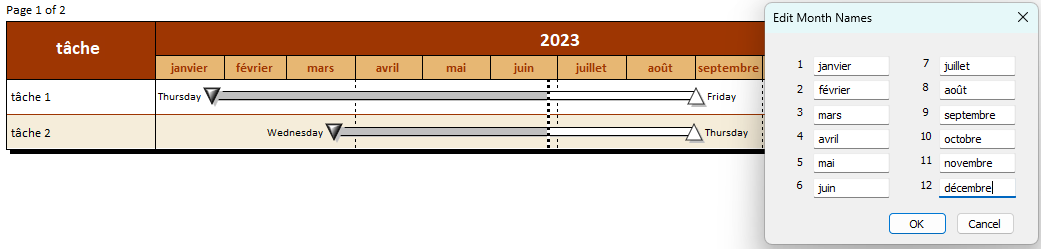
Change month names to French:

  1. On the Format tab, in the International section, choose International Number and Currency Settings.

  2. Choose Month Names.

  3. Replace the English month names with the French month names.  


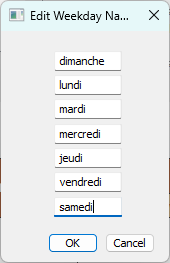
Change week day names to French:

  1. On the Format tab, in the International section, choose International Number and Currency Settings.

  2. Choose Weekday Names.

  3. Replace the English month names with the French month names.  


Related topics

International date formats

Internationalize your project schedules


Applies to Milestones Professional:      2017        2019         2021         2023         2025


The fast easy way to schedule your projects:  Milestones Software by KIDASA Software, Inc. www.kidasa.com

Copyright © 2025 KIDASA Software, Inc. All rights reserved.