International date formats

Question:     

In Australia, we use the dd/mm/yy date format.  Does Milestones support this format?


I would like to be able to input dates in the dd/mm/yy format.  (I am aware that once input, the format can be changed.)


Answer:

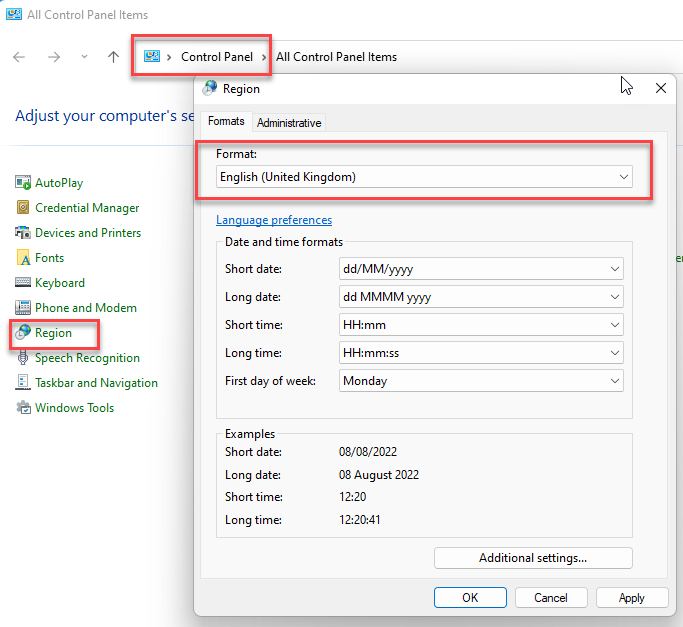
Yes.  This is something you need to set via the Windows Control Panel.  To do this:

  1. From the Windows Start menu, choose Control Panel.  

  2. Double-click the Regional Options icon.

  3. Click the Date tab.

  4. For Short Date Style choose dd-mm-yy.

  5. On this dialog panel, you can also change the date separator to a slash if it is not set to one already.


Related topics

Custom date formats

Custom symbol date formats

Date format and importing from Excel

Symbol date format


Applies to Milestones Professional:      2017        2019         2021         2023         2025


The fast easy way to schedule your projects:  Milestones Software by KIDASA Software, Inc. www.kidasa.com

Copyright © 2025 KIDASA Software, Inc. All rights reserved.